Git SSH
-
Go to the App you want to deploy in Easypanel.
-
In the Source panel click on the Git tab, then copy the SSH key of the current service.
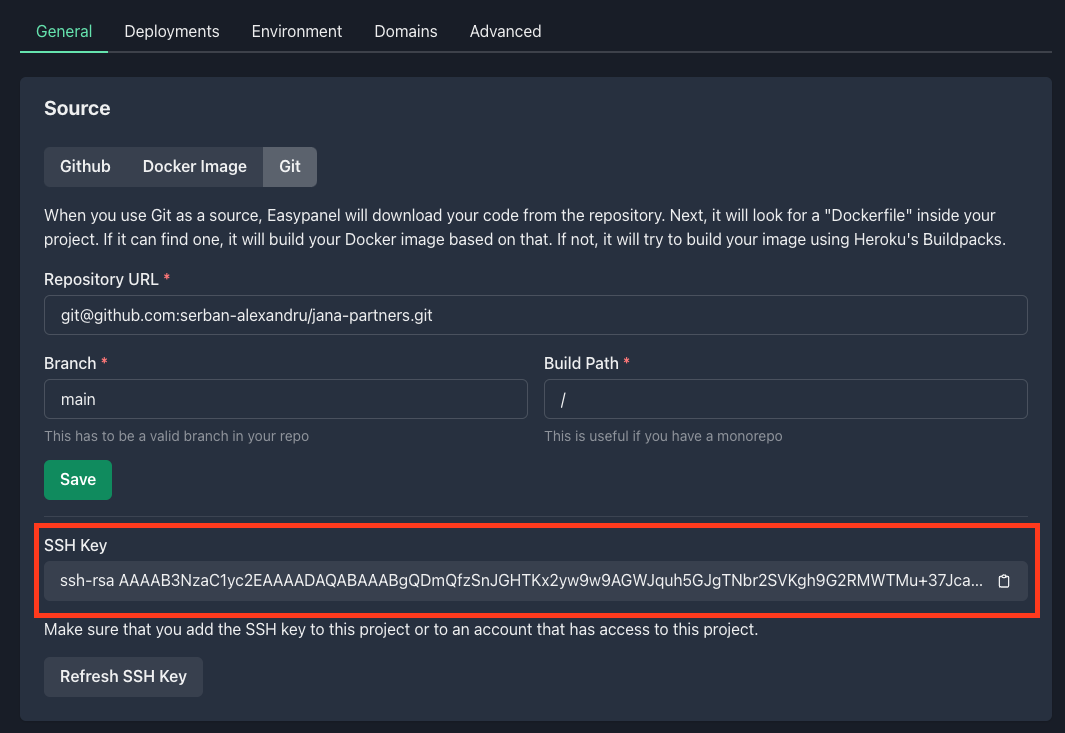
-
Follow the instructions for your provider
- Github: Go here and paste your SSH key, give it a title and click Add SSH key.
- BitBucket: Go here to add your SSH key, give it a title and click Add SSH key.
- GitLab: Go here to add your SSH key, give it a title and click Add key.
- Other providers: Depending on your provider you should go to Settings and you should see a tab SSH keys. Add your SSH key there.
-
Go back to Easypanel and save the form inside the Source tab.